 RoomTested
 What is local AI? A plain-English guide to running LLMs on your own hardware
What is local AI? A plain-English guide to running LLMs on your own computer: what it is, why people do it, the honest limits versus ChatGPT, the easy tools to start, and the hardware you need.
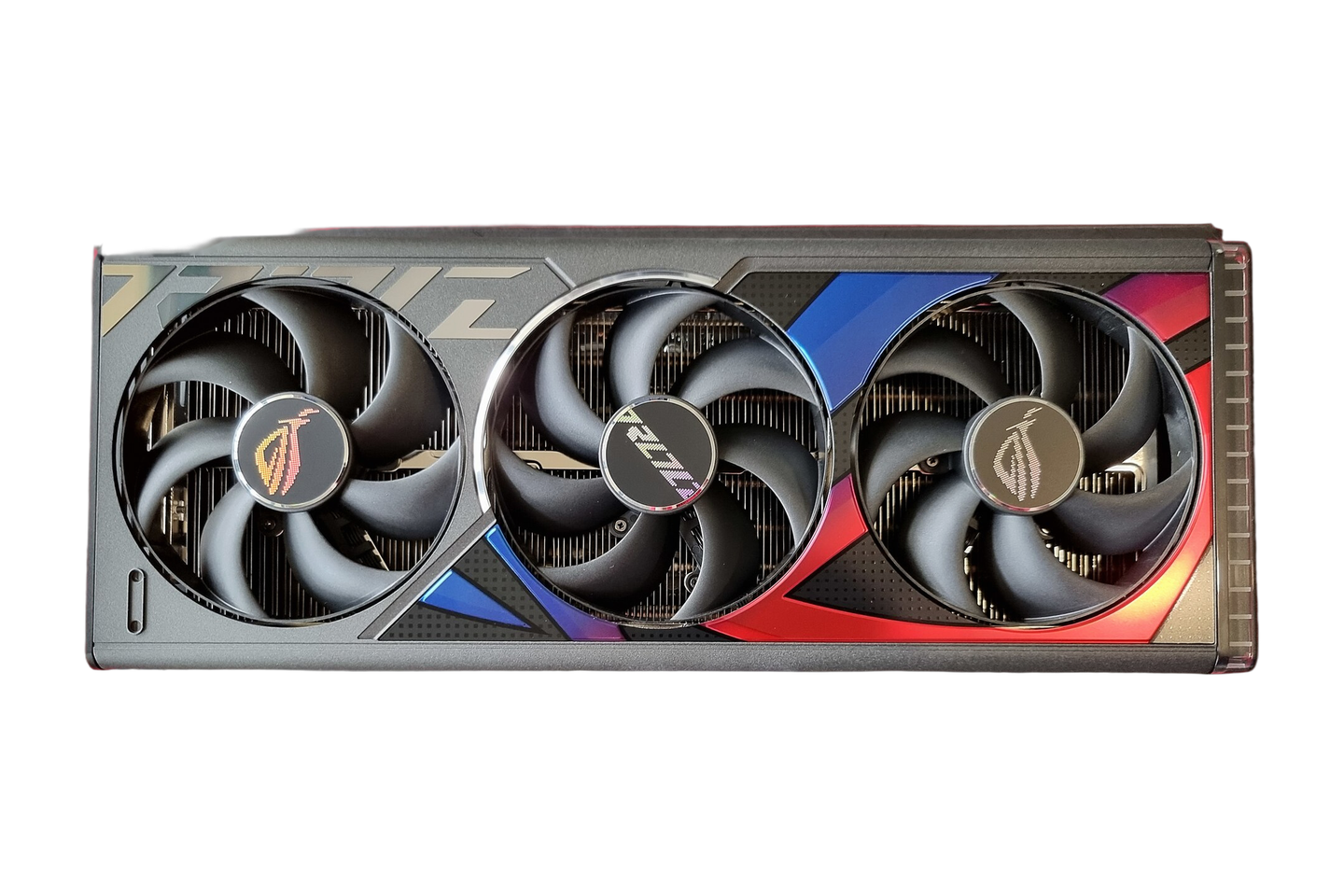
Local AI means running an AI model on your own computer instead of sending your words off to a cloud service like ChatGPT. You download a model, run it with a free piece of software, and the whole thing happens on your machine: offline if you want, with no account, no subscription and nothing leaving your network. That is the appeal, and it is real. The catch, which is where most write-ups go quiet, is that a model small enough to run on a normal PC is not as clever as the frontier cloud models, so it will not replace ChatGPT for the hard stuff. This is a plain-English explainer of what local AI actually is, why people run it, what it is good and bad at, and how to start. It pulls together the reference documentation with the consensus across owner reports and reviews from people who have run these models, not our own bench test.
The short version: local AI is a free, private way to run a capable-but-smaller AI on your own hardware. It is excellent for everyday writing, summarising, private document questions and learning, and it is genuinely worse than a cloud model at hard reasoning and tricky code. Most people who try it end up running both, local for the everyday and the private, cloud for the heavy lifting. The thing standing between you and trying it is no longer whether it works, it is a bit of setup and a decent graphics card.
What “local AI” actually means
The models behind chatbots are large language models, or LLMs: neural networks trained on a vast amount of text that learn to predict the next word, and are then fine-tuned to follow instructions and act as an assistant [1] . ChatGPT runs one of these on a cloud full of expensive hardware and lets you talk to it over the internet. Local AI runs a smaller one on the machine in front of you.
It is possible because of open-weight models, the ones whose trained files are public to download. Where the big commercial models are locked away, families like Meta’s Llama, and Mistral, Qwen, Gemma and Phi, are released as files you can run yourself [4] . The number you see attached to them, 7B, 13B, 70B, is the parameter count, a rough measure of size and capability: bigger is generally smarter but needs more memory to run.
Underneath the friendly apps, almost all of them share one engine. A project called llama.cpp does the actual work of running these models, and it sits at the core of nearly every local tool, including the popular Ollama and LM Studio [2] . It can even run a model on a plain CPU with no graphics card at all, just slowly, and it uses a file format called GGUF for the models. That shared foundation is why a model you download for one tool usually works in another.
Why people run AI locally
Four reasons come up again and again, and they are worth being straight about.
- Privacy. Your prompts and documents never leave your computer. For anyone handling sensitive work this is the headline reason: famously, Samsung reportedly banned staff from using ChatGPT after engineers pasted confidential code into it. A local model cannot leak what it never sees.
- Cost. The software and the models are free, so there is no monthly fee and no per-message charge. You pay once for hardware and then for the electricity it uses, which changes the maths if you run a lot of queries.
- It works offline. No internet, no problem. The model is on your disk, so it keeps working on a train, on a plane, or when the broadband drops.
- Control and no limits. There are no usage caps and no one rate-limiting you, you can tune how the model behaves, and you can pick models with fewer built-in content filters for legitimate research.
There is a learning payoff too: running one teaches you more about how these models actually work than years of using a chat box. The counterweight the better guides admit is that privacy and cost are the strong reasons, while speed and sheer convenience still favour the cloud.
The honest catch: it is not ChatGPT at home
This is the part the hype skips. The models you can run at home are far smaller than the ones behind ChatGPT, Claude and Gemini, and it shows on anything hard. Across owner reports and the reviewers who have tested them, the verdict is consistent: local models are fine for everyday tasks and clearly behind on complex reasoning and difficult code, where one was caught inventing a software function that does not exist. LLMs in general can be confidently wrong, because biased or inaccurate training data makes their output less reliable [1] , and the smaller local ones are more prone to it.
Size is not the whole story. A service like ChatGPT wraps its model in retrieval, memory, web access and orchestration, the scaffolding that makes it feel so capable. Running the model alone at home gives you the engine without the rest of the car. So the realistic outcome, and the one most reviewers land on, is not that local replaces cloud but that it reduces how much you reach for the cloud. Use the local model for the everyday and the private, keep a cloud model for the genuinely hard problems.
The other real barrier is friction. As one reviewer put it, local AI has a setup problem, not a quality problem: getting started can swallow an evening or a weekend of installing, downloading and troubleshooting, against the ten seconds it takes to open a browser tab. It is getting easier every year, but it is not yet as simple as signing up.
What you can actually do with it
For a lot of ordinary jobs a local model is already enough: drafting and rewriting text, brainstorming, summarising a long document, translating, and answering general questions. Two uses stand out precisely because they are local:
- Question your own documents. You can point a local AI at your own files, notes, manuals, a folder of PDFs, and ask questions of them, with nothing uploaded anywhere. This is the killer private use case, and tools like AnythingLLM and GPT4All’s LocalDocs are built for it.
- Generate images offline. Image generators such as Stable Diffusion run entirely on your own card, no per-image credits and no cloud queue. That is its own topic with its own hardware needs, but it is the same idea: the model on your machine.
It will also help with coding, wired into an editor, with the caveat already stated that it is weaker than a cloud model on the difficult parts. The pattern across all of these is the same: lean on local for the routine and the sensitive, and you will get a lot of value before you hit its ceiling.
The tools, and the easy way to start
You do not touch any of the engine directly. A handful of free apps wrap it in something usable, and the right one depends on how comfortable you are with a terminal.
- LM Studio is the easiest place to start for most people: a polished desktop app with a normal window, a built-in browser of downloadable models that even tells you whether one will fit your hardware, and a chat screen. No command line.
- GPT4All is the simplest of all for a non-technical user, a single installer that runs offline out of the box and includes the document-question feature. You may outgrow it, but nothing gets you chatting faster.
- Ollama is the favourite for anyone happy in a terminal or wanting to build on top: it runs and manages models from the command line and exposes a local API, so you pull a model by name and run it with one line [3] .
- Jan is an open-source, privacy-first app styled as a ChatGPT replacement, for people who want that familiar feel without the cloud.
They all run the same kind of model file, so you can move between them. My steer: if you want a window and a button, install LM Studio or GPT4All today; if you live in a terminal, use Ollama.
What hardware you need
The one spec that decides what you can run is graphics-card memory, VRAM, because the model has to fit inside it. If it does not, the overflow spills to ordinary system memory and the speed falls off a cliff. The rough rule, at the common compression level called quantisation, is about half a gigabyte of VRAM per billion parameters: a 7B model wants around 6GB, a 13B around 12GB, and a 70B more than any single consumer card holds.
That word quantisation is worth one plain sentence, because you will meet it everywhere. It means storing the model’s numbers at lower precision to shrink it, which cuts memory use and boosts speed at a small cost in accuracy [2] . Modern quantisation is good enough that for most tasks you will not notice, which is why nearly everyone runs models this way.
So a modern laptop or a 12GB card is plenty to try small models, and the sweet spot for serious use is a 16GB or 24GB card, with a used RTX 3090 and its 24GB the value pick the community keeps returning to. NVIDIA is the smooth path because its CUDA software is what the tools target first. We go through the cards, the budgets and the CUDA details properly in our companion guide to the best GPU for local AI, so if this explainer has sold you on trying it, that is where to go next.
Verdict
Local AI is worth understanding and, for a lot of people, worth running. It is a free, private, offline way to put a capable assistant on your own machine, and it is genuinely good at everyday writing, summarising, private document questions and learning how this technology works. Be clear-eyed about the catch: a model small enough to run at home is weaker than ChatGPT or Claude on hard reasoning and tricky code, and a cloud service adds retrieval and memory the bare model does not have, so the smart way to use it is as a complement rather than a replacement, local for the everyday and the sensitive, cloud for the heavy lifting. To start, install LM Studio or GPT4All and download a small model tonight, no hardware purchase required to see what it can do. If you catch the bug, the one upgrade that changes everything is graphics-card memory, and our companion guide covers exactly which card to buy. For most people the recommendation is simple: try it for free first, and only spend on a GPU once you know you will use it.
- Wikipedia: Large language model (a neural network trained on vast text, predicts the next word, fine-tuned to act as an assistant; biased or inaccurate data makes output less reliable)
- Wikipedia: llama.cpp (the engine at the core of almost all local tools including Ollama and LM Studio; can run on CPU; GGUF format; quantisation reduces weight precision to cut memory and boost speed at some accuracy cost)
- Wikipedia: Ollama (open-source platform for running and managing LLMs locally, with a command line, a GUI and a local API)
- Wikipedia: Llama (Meta’s open-weight LLM family, ~1B to ~2T parameters, released as downloadable models you can run yourself)
Frequently asked
What is local AI?
Local AI means running an AI model, usually a large language model like the ones behind chatbots, on your own computer instead of sending your words to a cloud service such as ChatGPT. You download an open model, run it with a free tool, and everything happens on your machine, offline if you want, with no account and no per-use cost.
Is local AI as good as ChatGPT?
Not on hard tasks, no. A model you can run on a normal PC is much smaller than the frontier cloud models, so for complex reasoning, long context or tricky code it will not match ChatGPT, Claude or Gemini. It is genuinely useful for everyday writing, summarising, private document questions and tinkering. Most people who run local AI keep using a cloud model for the hard problems, so think complement, not replacement.
What do I need to run AI locally?
Mainly graphics-card memory, VRAM, because the model has to fit in it or the speed collapses. A small 7B model runs in about 6GB and will work on a mid-range card or even a modern laptop; bigger and faster models want a 12GB, 16GB or 24GB card. The community value pick is a used RTX 3090 with 24GB. We cover the hardware in detail in our companion guide to the best GPU for local AI.
What is the easiest way to start running a local LLM?
Download LM Studio or GPT4All. Both are free desktop apps with a normal window: you pick a model from a built-in list, click download, and start chatting, with no command line involved. If you are comfortable in a terminal or want to script things, Ollama is the popular choice, where you pull a model by name and run it with a single command.
Is running AI locally free?
The software is free and the models are free to download, so after the one-time download there is no subscription and no per-message cost. What you pay for is hardware and electricity: a capable graphics card if you do not already have one, and the power it draws while it runs. So it is free to use but not free to set up unless your PC is already up to it.
What can you actually do with a local LLM?
The everyday jobs: drafting and rewriting text, brainstorming, summarising, translating, and answering questions. Two stand out for being local. You can point it at your own documents and ask questions of them without anything leaving your machine, and you can run image generators like Stable Diffusion entirely offline. It also does coding help, though it is weaker than a cloud model on difficult code.
Get the honest stuff in your inbox
New reviews and price-checked UK deals on gear I’ve actually tested. About one email a week. No spam, unsubscribe anytime.
Related reviews & guides
- local ai · guide
The best GPU for running AI locally in 2026: VRAM, the used 3090, and the CUDA question
19 Jun 2026  local ai · guide
Best single-board computers: 3 picks, and what to build with each
18 Jun 2026 networking · guide
Signal vs WhatsApp: same encryption, different owners, and the owner is the product
3 Jul 2026