 RoomTested
 The best GPU for running AI locally in 2026: VRAM, the used 3090, and the CUDA question
A UK guide to picking a GPU for local LLMs and Stable Diffusion: why VRAM is everything, the used RTX 3090 value play, CUDA vs AMD ROCm, the CUDA-version reality, and what to buy.
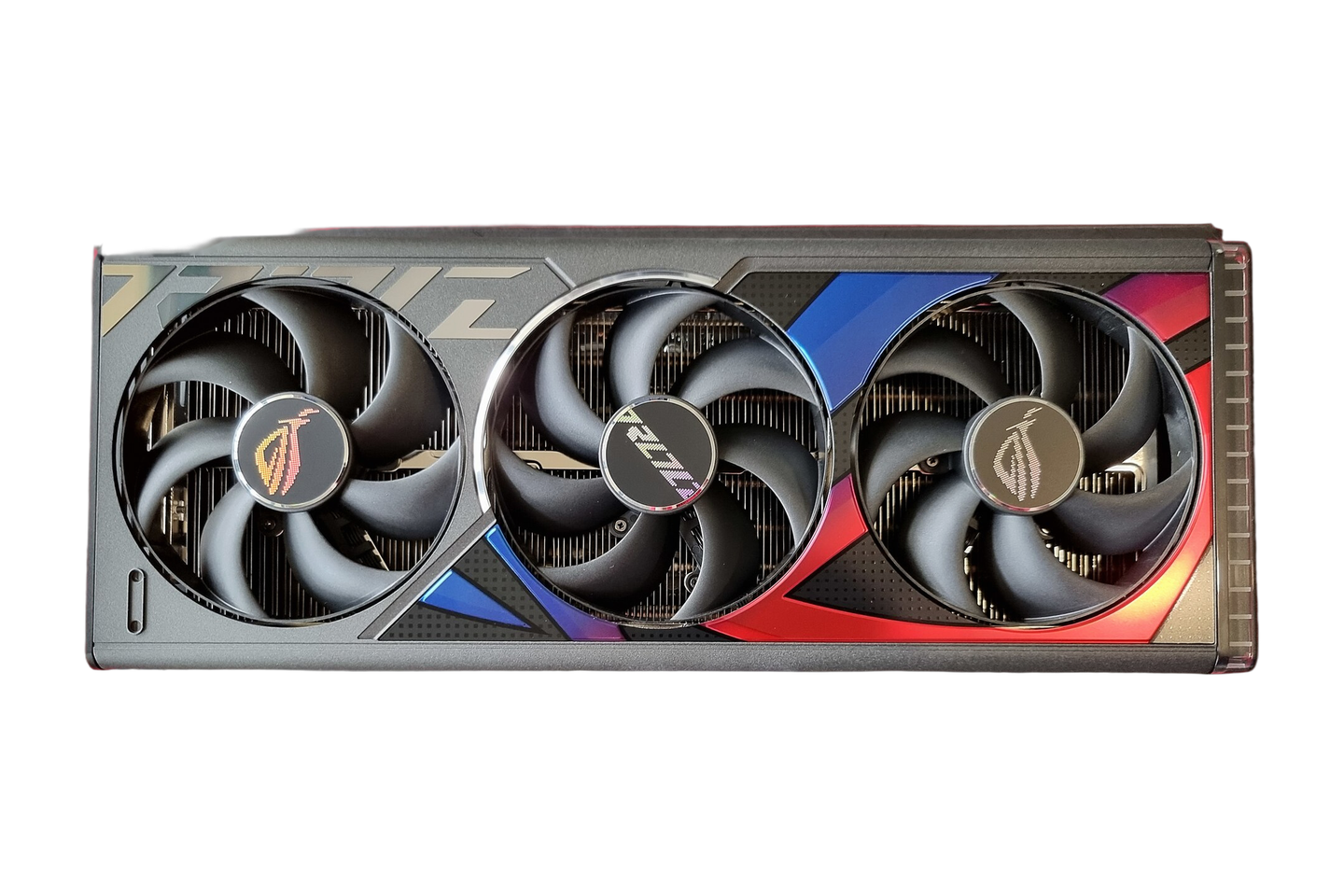
If you are buying a graphics card to run AI on your own machine, local language models or Stable Diffusion, almost everything you read about gaming performance is a distraction. The spec that decides what you can run is VRAM, the memory on the card, followed by memory bandwidth, and the gaming benchmark numbers come a distant last. The model has to fit in that memory. If it does not, it spills into system RAM and speed collapses by roughly thirty times, which is the difference between a usable assistant and a slideshow. So the real question is how much VRAM you can buy per pound with proper software support, and the answer most of the local-AI community keeps landing on is a used RTX 3090 with 24GB. This guide is a synthesis of the manufacturer and framework documentation, the r/LocalLLaMA owner reports, and the established hardware press, not our own bench test.
The one-line version: buy a used RTX 3090 for 24GB of CUDA VRAM and do not overthink it; drop to a 3060 12GB or 4060 Ti 16GB if you only run small models; step up to a 5090 for 32GB and speed, or two 3090s for the 48GB a 70B model needs; and choose AMD or a Mac only with your eyes open to the tradeoffs below.
VRAM is almost the only spec that matters
A model’s size in memory is set by two things: its parameter count and how hard it is quantised, meaning compressed to fewer bits per weight. At the common Q4 quantisation, the rule of thumb that holds across the community guides is roughly half a gigabyte of VRAM per billion parameters, plus a buffer for context. So a 7B model wants about 6GB, a 13B about 12GB, a 32B about 24GB, and a 70B about 45GB. That last number is the wall: no single consumer card holds 45GB, so a 70B means two cards, a big-memory Mac, or a workstation part.
Two honest caveats sit on top of that. The first is context, the amount of conversation the model holds in mind. The memory it uses, the KV cache, grows with the length of the context and eats several gigabytes of its own, so you choose a big model or a long context, rarely both. An owner running a 3090 put it plainly: even 24GB exhausts on a 70B once the context grows [4] . The second is what happens when you run out. Overflowing into system RAM is not a graceful slowdown, it is a cliff, and the recurring advice is to use llama.cpp rather than vLLM for anything that has to spill, because it handles the overflow far better [4] .
After VRAM, the spec that affects speed is memory bandwidth, because generating each token is a memory-bound job, not a compute-bound one. This is why a five-year-old 3090, with its 936GB/s, keeps pace with much newer cards for chat: the gap to a 4090 on token generation is around ten per cent, far smaller than the price gap [5] . Raw gaming horsepower barely enters into it.
The CUDA question, answered
This is the part that sends people down a rabbit hole, so here is the calm version. CUDA is NVIDIA’s proprietary computing platform [1] , and in practice it is the one AI software is written for first: the major frameworks ship CUDA builds as their default and everything else plays catch-up [3] . That is why NVIDIA is the default recommendation: on an NVIDIA card, things just run.
The version anxiety is mostly misplaced. You do not normally install or pick a CUDA toolkit to run AI. Frameworks such as PyTorch ship their own CUDA runtime, and they ship several versions at once: the current builds target CUDA 12.6, 12.8 and 13.0 side by side [3] . You install the framework build, a recent NVIDIA driver carries it, and the “CUDA Version” that nvidia-smi reports is simply the newest your driver supports, which works with the older runtime the framework bundles. Newer is not better for its own sake. The one real rule is hardware: a Blackwell card, meaning the RTX 50-series, needs CUDA 12.8 or later, the release that added support for that architecture, while older cards are perfectly happy on the 12.x line. So the answer to “12.6 or 12.8 or 13” is usually “whichever your framework installed”, and you only force the issue for a 50-series card.
AMD’s answer is ROCm, and it has come a long way, but the honest state of it matters before you buy. AMD officially supports ROCm on only a short list of recent Radeon cards, and that support is Linux-first, with no consumer Windows in its supported-compute list [2] . On the right card and Linux it works, at perhaps ten to twenty-five per cent slower than the equivalent NVIDIA card, and it remains a second-class citizen in CUDA-first tools, with image generation the weakest area. Intel’s oneAPI is less mature still. None of that makes AMD a bad card, it makes it a card for someone who runs Linux and enjoys solving the occasional driver puzzle.
The picks, by budget
Entry: RTX 3060 12GB or RTX 4060 Ti 16GB
The cheapest sensible way in. The RTX 3060 12GB, the entry tier, is the budget favourite precisely because 12GB is enough to run 7B and smaller 13B models without it being a toy. The RTX 4060 Ti 16GB, a step up, buys you 16GB and very low power draw, which suits a small always-on box, though its narrow 128-bit memory bus makes it slower than the number suggests. Either is fine if you know you will stick to small models and SD1.5 image generation.
The value king: used RTX 3090 24GB
If you want one recommendation, this is it. A used RTX 3090 gives you 24GB of CUDA VRAM, and nothing else comes close on VRAM per pound. It runs any model up to about 32B comfortably, a quantised 70B with offload, and it is the only one of these picks with NVLink, so two of them pair into a 48GB rig [5] . For inference its bandwidth keeps it within striking distance of a 4090 at a fraction of the price. The asterisks are real and covered below: it is a 350W card that runs hot and is almost always ex-mining.
- The cheapest 24GB of CUDA VRAM there is, the best VRAM-per-pound
- Runs models up to ~32B comfortably, and a quantised 70B with offload
- Within ~10% of a 4090 for token generation, since inference is bandwidth-bound
- The only pick here with NVLink, so two give you 48GB for 70B models
- 350W, hot and a real running cost on UK electricity; worth power-limiting to ~300W
- Almost all are ex-mining, so buy with returns and test in the window
- Transient power spikes can trip a weak PSU; budget 850W
- Five-year-old hardware, so factor in a possible repaste or new fans
Speed: RTX 4090 24GB
The 4090 has the same 24GB as a 3090 but about a terabyte a second of bandwidth, so it pulls clearly ahead on prefill, the time to first token, which is what you feel on long prompts, retrieval and agentic work. It is also roughly twice as fast for Stable Diffusion. It is end of life and the used market keeps it well above a 3090, so it only makes sense if image generation is your main job or you find one near its old price. For pure chat, the 3090 gives most of the experience for a fraction of the money.
Flagship: RTX 5090 32GB
The 5090 is the only consumer card with more than 24GB, at 32GB, and its 1792GB/s of bandwidth is a large jump. As the flagship it is the priciest consumer card by a clear margin, partner models pricier still, and even 32GB needs offloading or heavy quantisation for a 70B. Buy it when you have genuinely outgrown a 3090 and want the fastest single card, not as a first step.
The 70B path: two used RTX 3090s
The cheapest way to actually run a 70B model at a decent quantisation is two used 3090s, linked with NVLink, for 48GB total, still well under the price of a single 5090. It works well, and it is the standard enthusiast build, but go in clear-eyed: 700W of GPU needs a 1300W or larger PSU, three slots of clearance, and it makes real heat and noise. This is a project, not a drop-in upgrade.
The alternatives: AMD and Apple
Two options sit outside the NVIDIA ladder. The AMD RX 7900 XTX gives you 24GB of new-card VRAM, priced above a used 3090 but below the NVIDIA flagships, and its bandwidth actually beats a 3090, but only buy it if you run Linux, will live with ROCm, and mostly do LLM inference rather than image generation. The other is an Apple Silicon Mac, where the system memory doubles as VRAM, so a 64GB Mac runs a 70B model and a 128GB one runs larger, in a quiet, low-power box no single NVIDIA card can match. The price is slower prompt processing and no CUDA ecosystem, which suits someone who wants big models in silence more than peak speed.
The used 3090 reality: heat, power and ex-mining
Since the 3090 is the pick, it is worth being honest about living with one. It is a 350W card, which on UK electricity is a running cost you can feel if it works all day, and it is effectively a space heater in the room. Its transient power spikes can briefly hit well over 400W, which makes some nominally adequate power supplies sag and the machine crash, so treat 850W as the sensible floor rather than the 750W minimum.
Most used 3090s are ex-mining, and counter to instinct that is mostly fine. A mining card ran undervolted at a steady temperature, and the wear lands on the thermal pads, paste and fan bearings rather than the silicon. Buy from a seller with returns, use the buyer protection, test it on arrival, and budget for a repaste and new pads if it runs warm. The single best thing you can do is power-limit it to around 300W, which owners report drops temperatures and noise sharply for almost no loss in inference output. Avoid the smaller two-fan partner cards if you can, since their undersized coolers throttle under the sustained load that AI work produces.
Stable Diffusion is its own VRAM tier
If image generation rather than text is your goal, the maths shifts. SD1.5 is happy on a 4 to 6GB card, but SDXL, which most people now use, renders at four times the resolution and wants real memory: 8GB is barely functional and crashes without low-memory flags, 12GB is comfortable, and 16GB or more is where it stops fighting you. This is also where AMD struggles most, with image generation roughly twice as slow as the equivalent NVIDIA card and some tools simply not running, so for a Stable Diffusion machine the case for NVIDIA, and for a 12GB card as the realistic floor, is stronger than for text.
What to check before you buy (UK)
- VRAM first. Decide the biggest model you want to run, size it at Q4, and buy the card that fits it. Anything under 12GB is for small models only.
- NVIDIA unless you have a reason. CUDA is the smooth path. Choose AMD only for Linux plus LLM inference, and a Mac only for big models in a quiet box.
- Used means eBay, with protection. The 3090 and 4090 are used-market cards; buy from sellers with returns and test inside the window.
- Mind the power and heat. A 3090 wants an 850W PSU and adds real warmth and running cost; plan cooling and check your supply.
- Do not chase the CUDA toolkit. Install your framework’s build and a current driver; only a 50-series card forces CUDA 12.8 or newer.
- Price honestly. Used GPU prices move week to week, so compare against recent sold listings, not asking prices, and ignore a tempting outlier.
Verdict
For running AI locally in 2026 the answer is VRAM, and the smart buy is a used RTX 3090 with 24GB, the cheapest way to that much CUDA VRAM on a volatile used market. It gives you the most CUDA VRAM per pound, runs models up to about 32B and a quantised 70B with offload, and stays within roughly ten per cent of a 4090 for everyday chat. Drop to a 3060 12GB or 4060 Ti 16GB if you only run small models or generate the odd image, and accept that under 12GB is for toys. Step up to a 5090 for 32GB and the fastest single card, or to two 3090s for the 48GB a 70B genuinely needs, only when you have a concrete reason. Choose the AMD RX 7900 XTX for its 24GB only if you run Linux and will live with ROCm, and an Apple Silicon Mac only if you want very large models in near silence and can accept slower prompts and no CUDA. And do not lose an evening to CUDA versions: let your framework bring its own runtime, keep a recent driver, and only a 50-series card makes you care about 12.8 or newer. For my own local-AI box I would buy a used 3090, power-limit it to 300W, and put the saving towards a second one if I ever needed 70B.
- Wikipedia: CUDA (NVIDIA’s proprietary parallel-computing platform for GPU computing)
- AMD ROCm: Linux system requirements (the short list of officially-supported consumer Radeon GPUs, Linux-first)
- PyTorch: previous versions (builds ship their own CUDA runtime for CUDA 12.6 / 12.8 / 13.0, and ROCm on Linux)
- r/LocalLLaMA: a year of running local models (24GB still exhausts on a 70B as context grows; use llama.cpp for offload)
- Houtini: best GPUs for local LLMs (inference is bandwidth-bound, so the used 3090 stays near a 4090; NVLink for dual-3090 48GB)
Frequently asked
What is the best GPU for running local LLMs?
For most people a used RTX 3090 with 24GB of VRAM. It is the cheapest way to get 24GB of CUDA-supported VRAM, which is the real currency of local AI, and for chatting with a model it runs within about 10 per cent of a far more expensive RTX 4090. Buy a 5090 only if you need 32GB or maximum speed, and a second 3090 if you want to run 70B models.
How much VRAM do I need to run a local LLM?
As a rule of thumb at the common Q4 quantisation, allow roughly half a gigabyte of VRAM per billion parameters plus headroom for context. A 7B model wants about 6GB, a 13B about 12GB, a 32B about 24GB, and a 70B about 45GB, which is more than any single consumer card holds. The model has to fit in VRAM: if it spills into system RAM, speed drops by roughly thirty times.
Is a used RTX 3090 still worth it for AI in 2026?
Yes, it is still the value pick. The 3090 gives you 24GB and full CUDA support on the used market, where the only newer cards with as much or more VRAM cost several times as much. The catches are real: it draws 350W, it runs hot, most are ex-mining (usually fine, but buy with returns), and it is worth power-limiting to about 300W for far less heat and almost no speed loss.
Can I use an AMD GPU for local AI, or do I need NVIDIA?
You can, but NVIDIA is the path of least resistance. Nearly all AI tooling targets NVIDIA's CUDA first. AMD's equivalent, ROCm, officially supports only a short list of recent Radeon cards and is effectively Linux-only for compute, so the RX 7900 XTX is a sound buy for 24GB of VRAM only if you run Linux, will debug ROCm, and mostly do LLM inference rather than image generation.
Which CUDA version do I need, 12.6, 12.8 or 13.0?
For running AI you usually do not choose the CUDA toolkit at all. Frameworks like PyTorch ship their own CUDA runtime, in several versions side by side (builds for CUDA 12.6, 12.8 and 13.0), so you install the framework build and a recent NVIDIA driver carries it. Newer is not better unless your card requires it: a Blackwell card, the RTX 50-series, needs CUDA 12.8 or later, while older cards are happy on 12.x. Do not chase the latest toolkit for its own sake.
Can I run a 70B model on a 24GB GPU?
Only partly, and slowly. A 70B model at Q4 needs around 45GB, so on a 24GB card the rest spills to system RAM and inference crawls. The usable routes to a 70B are two 24GB cards (two RTX 3090s give 48GB), a Mac with 64GB or more of unified memory, or a workstation card. On one 24GB card, stick to models up to about 32B.
Get the honest stuff in your inbox
New reviews and price-checked UK deals on gear I’ve actually tested. About one email a week. No spam, unsubscribe anytime.
Related reviews & guides
- local ai · guide
What is local AI? A plain-English guide to running LLMs on your own hardware
19 Jun 2026  local ai · guide
Best single-board computers: 3 picks, and what to build with each
18 Jun 2026 networking · guide
Signal vs WhatsApp: same encryption, different owners, and the owner is the product
3 Jul 2026