 RoomTested
 Presence sensors: the fix for lights that turn off while you sit still, and which to buy
A UK guide to mmWave presence sensors: why radar beats a PIR motion sensor, the cheap-sensor label trap, the fan and ghost false-triggers, and which to buy from Aqara FP2 to DIY.
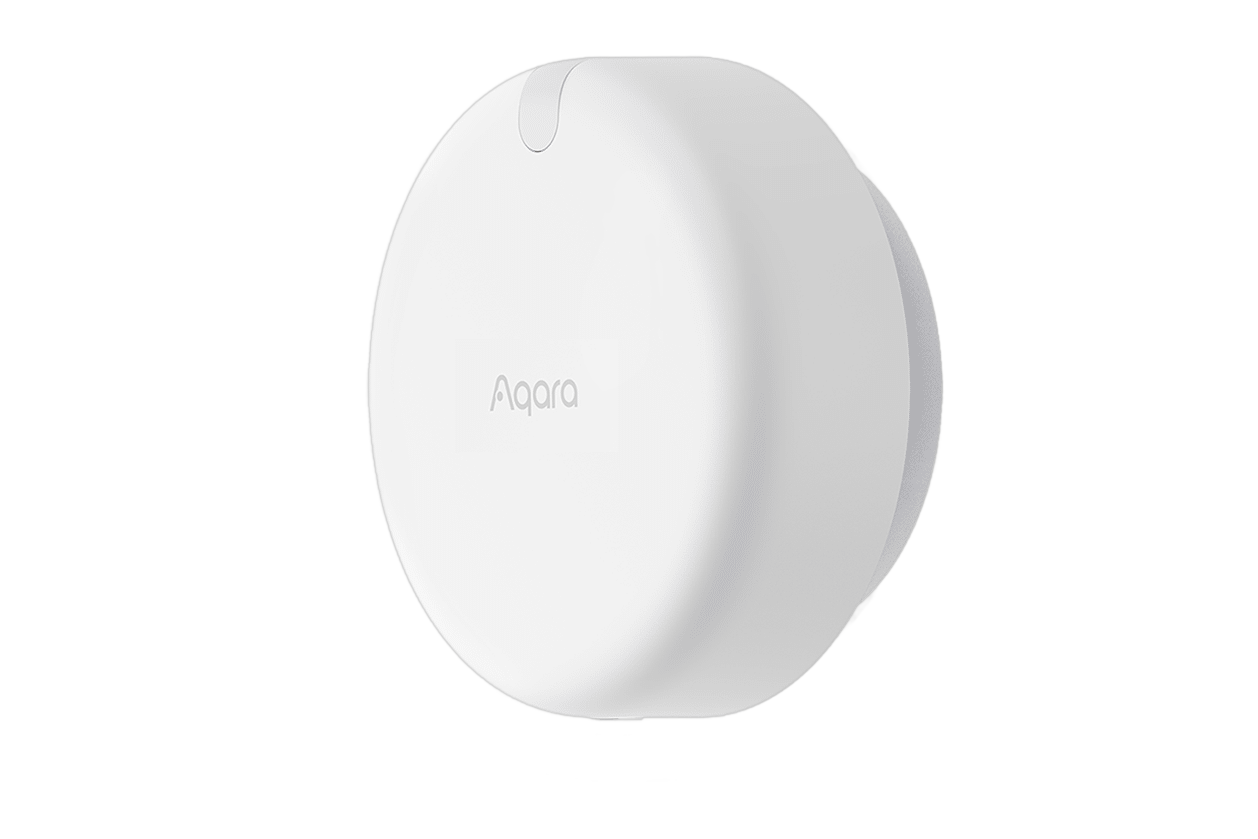
A presence sensor fixes the single most annoying thing about cheap smart lighting: the lights that switch off while you are still sitting in the room. A normal motion sensor is a PIR, and it only sees you move [1] . Sit still to read or watch television and it sees nothing, the timer expires, and you are left waving an arm in the dark. A presence sensor uses radar instead, which detects the micro-movements of a still person, so it keeps the lights on while you are there and turns them off when you actually leave. That is the whole pitch, and for that one job it is worth the upgrade. This guide is a synthesis of the manufacturer spec sheets, the Home Assistant and Reddit owner reports, a hands-on comparison test, and the Wikipedia and Sonoff explainers, not our own bench test.
The one-line version: for an easy, cheap, local sensor buy a Sonoff SNZB-06P; for drawable zones and HomeKit buy the Aqara FP2 and accept its price and its app; for the most control and the best reliability per pound, build a DIY ESPHome sensor; and the cheap Tuya is for tinkerers who buy the Zigbee version on purpose.
Why a presence sensor, not a motion sensor
A PIR motion sensor is passive: it reads the infrared heat that objects give off, and it triggers on the change as a warm body moves across its view. It says nothing about who or what moved, and crucially it goes quiet the instant the movement stops [1] . Its sensitivity even drops in a warm room, because there is less contrast between you and the background.
A presence sensor is a radar. It is active, emitting a radio signal and reading the reflection that bounces back [2] , and that reflection carries the tiny movements of a still person, the rise and fall of breathing, the shift in a chair. Sonoff’s own guide puts the difference in one line worth remembering: a motion sensor turns the lights on, a presence sensor keeps them on [3] . That is why radar is the better tool for a room where people sit still, an office, a lounge, a reading corner, and why a PIR is still fine for a hallway you only pass through.
The honest synthesis from owners is that the best setup is often both. A cheap battery PIR is faster to trigger the lights on and does not see through walls, so plenty of people pair a PIR to switch the lights on with a radar sensor to hold them on, and let the PIR do the part it is good at.
The label trap: not every “presence sensor” is mmWave
Here is the bit the listings blur. “mmWave” has become a marketing badge stuck on anything with a radar in it, and the two most popular cheap sensors do not actually qualify. Sonoff lists the best-selling SNZB-06P as 5.8GHz microwave radar, which is not millimetre-wave at all. So the real split is by band. True mmWave means 24GHz, used by the HLK-LD2410 module and most Tuya sensors, or 60GHz, used by the Aqara FP2. The hugely popular Sonoff SNZB-06P and the original Tuya ZY-M100 sit below that on 5.8GHz.
It matters because the band sets what the sensor can do. The 60GHz FP2 has the resolution to track up to five people and map up to thirty zones, which is why it is the one people picture when they think “presence sensor”. A 24GHz module like the LD2410 detects presence and breathing well out to about five metres with a 0.75m distance resolution [4] , enough for solid single-room presence but crude zoning. The 5.8GHz microwave sensors are the cheapest and the most prone to false triggers, which is exactly why Sonoff’s newer SNZB-06P24 moves up to 24GHz and adds seven zones. None of this makes the cheap sensors bad, it just means you should know which one you are buying and not pay mmWave prices for microwave hardware.
What they all get wrong: fans, walls and ghosts
Every sensor here, from the cheapest bare module to the premium Aqara, shares the same handful of weaknesses, and knowing them up front saves a lot of swearing later.
The first is the false trigger. Radar reacts to any movement, so a ceiling fan, a bathroom extractor, a billowing curtain, an air-conditioning draught or a wandering pet will all read as a person. This is the single most common complaint across every device, and the fix, turning the sensitivity down or excluding a zone, shrinks the detection area until it starts missing actual people. It is a balancing act, not a setting you get right once.
The second is that radar sees through thin walls. It passes through plasterboard, wood, glass and fabric [3] , which is handy for hiding the sensor but means it will happily detect someone in the next room, the hallway, or through the floor, and then refuse to clear. The third is the related “ghost” presence that never releases: the Aqara FP2 ships with a dedicated button to reset a stuck occupancy state, which tells you how common it is. And the fourth is that mounting is fussy. The same sensor can be rock-solid on one wall and useless on another, so expect to re-aim it a few times.
None of this is a reason to avoid them. It is a reason to plan for an afternoon of tuning rather than a five-minute install, and to be suspicious of any review that calls one of these plug-and-play.
The picks
Sonoff SNZB-06P: the easy, cheap, local one
If you run a Zigbee network and want presence detection working tonight, this is the buy. It is one of the cheapest sensors here, local through your own coordinator with no cloud, it pairs in minutes, and it runs on USB power while acting as a Zigbee router for your other devices. The honest caveat is the band: it is 5.8GHz microwave, not true mmWave, so it false-triggers more, and owners report it can get stuck “occupied” or miss people in a large room, where it is happiest in a small room or bathroom. If you want the same easy Zigbee setup with better hardware, the newer SNZB-06P24 steps up to 24GHz and adds zones for a small premium.
- Easiest mmWave-class sensor to set up: Zigbee, local, paired in minutes
- One of the cheapest here, and doubles as a Zigbee router on USB power
- No cloud and no subscription, works fully in Home Assistant via Zigbee2MQTT or ZHA
- 5.8GHz microwave radar, not true mmWave, so more false triggers
- Can stick on 'occupied' and struggles in large rooms; best in small spaces
- No real zone mapping (the 24GHz SNZB-06P24 fixes this)
Aqara FP2: zones, HomeKit, and the price to match
The FP2 is the one most people picture, and it earns that. Its 60GHz radar tracks up to five people and lets you draw up to thirty zones in the app, it has a built-in light sensor and fall detection, it needs no Aqara hub, and it exposes each zone to HomeKit, Matter, Alexa, Google and Home Assistant. It is the closest thing here to plug-and-play for someone who wants zones without writing code. It is the most expensive option in this guide by a wide margin, roughly five times the price of a Sonoff, and the catches are real: it is Wi-Fi 2.4GHz only, it needs the Aqara app for the initial zone setup, the reliability is genuinely polarised in owner threads, and it will occasionally read a chair or a reflection as a person until you train it.
- 60GHz radar with up to 5-person tracking and up to 30 drawable zones
- Light sensor and fall detection, no hub needed, native HomeKit and Matter
- The least fiddly route to real zone mapping for non-coders
- The most expensive here, roughly 5x a Sonoff, and the value is openly questioned
- Wi-Fi 2.4GHz only, and needs the Aqara app to set up zones
- Owner reliability is polarised; misreads objects as people until trained
Tuya ZY-M100: the cheapest real mmWave, if you choose carefully
This is the cheapest way into true 24GHz mmWave, the lowest-cost sensor in this guide for a returning buyer once you add landed delivery. It does solid single-room presence with no zones and one person. Two rules make or break it. Buy the Zigbee version, never the Wi-Fi one, because the Wi-Fi variant routes through the slow Tuya cloud. And know that the older Zigbee firmware reports to the network roughly once a second whether or not anyone is present, which can swamp a Zigbee mesh that has a few of them; newer Zigbee2MQTT support exposes a setting to calm it down. It is a tinkerer’s sensor, not a buy-and-forget one.
- The cheapest true 24GHz mmWave sensor by some margin on AliExpress
- Solid single-room presence, local on Zigbee through your own coordinator
- Buy the Zigbee version; the Wi-Fi one depends on the Tuya cloud
- Older firmware spams the Zigbee network ~once a second
- Sold under many near-identical codes; some pair but expose no useful entities
DIY ESPHome: the most flexible, and the best per pound after tuning
For Home Assistant power users, the most capable route is to build it. A bare HLK-LD2410 module is among the cheapest parts you can buy on AliExpress and pairs with an ESP32 running ESPHome for a fully local sensor you tune exactly as you like [4] . If soldering 1.25mm pins is not your idea of fun, the kitted boards do the hardware for you: the Everything Presence One and Lite, or Apollo’s MTR-1 and R-PRO-1, are native ESPHome and cost more than a bare module while staying below the FP2. The payoff is control. Reviewers who have put a DIY Everything Presence sensor head to head with the FP2 land on the same tradeoff: the FP2 is slicker out of the box, while the DIY sensor hands you the ESPHome controls to tune its timing and behaviour yourself [5] . Two warnings: buy the right module, since the LD2410 detects still presence well while the LD2420 and LD2450 trade that for range or position tracking, and expect ESPHome updates to occasionally break the radar component until you update the config.
- Cheapest of all as a bare module, and the most flexible by far
- Fully local ESPHome, with clear-times you can tune below the FP2's defaults
- Kitted Everything Presence and Apollo boards remove the soldering
- The most setup effort: assembly plus per-gate sensitivity tuning
- Easy to buy the wrong module (LD2410 vs LD2420 vs LD2450)
- ESPHome updates can break the radar component until you adjust the config
What to check before you buy (UK)
- Power, not batteries. Radar needs continuous power, so plan for a USB cable or a wired feed. Battery presence sensors barely exist yet.
- Band and protocol. Decide between an easy Zigbee sensor (Sonoff, Tuya), the Wi-Fi FP2, or a local ESPHome build, and check the radar band so you are not paying mmWave money for 5.8GHz microwave.
- Room and use. Zones and multi-person need the FP2 or a DIY LD2450. For one person in one room, a Sonoff or a single LD2410 is plenty.
- Fans and pets. If the room has a ceiling fan, an extractor or a pet, accept that tuning is mandatory, and lean towards a sensor with good zone or sensitivity control.
- Buy the Zigbee Tuya, not the Wi-Fi one, and prefer a named module (a genuine Hi-Link LD2410) over an unlabelled board.
- Price honestly. Compare the landed price including delivery, and ignore any one-time new-buyer promo, which is not what you will pay.
Verdict
Buy a presence sensor if your lights keep turning off while you sit still, because that is the problem it solves and a PIR cannot. For most people the budget Sonoff SNZB-06P is the right start: easy, local on Zigbee, and good enough for a single room, as long as you know it is 5.8GHz microwave and not true mmWave. Step up to the pricier Aqara FP2 only if you want its visual zone mapping, multi-person tracking and native HomeKit or Matter, and you will tolerate Wi-Fi setup through the Aqara app. Go DIY with an HLK-LD2410 on ESP32, or a kitted Everything Presence or Apollo board, if you run Home Assistant and want the most control and the best reliability per pound after a session of tuning. And treat the cheap Tuya ZY-M100 as a tinkerer’s bargain: buy the Zigbee version, expect to tame its network chatter, and do not put it anywhere that matters. Whichever you choose, none is truly plug-and-play, they all argue with ceiling fans, and the most reliable setup of all is a cheap PIR to turn the lights on and a radar sensor to keep them on. For my own rooms I would run Sonoff sensors where I just need presence and a DIY LD2410 where I want to tune the behaviour myself.
- Wikipedia: Passive infrared sensor (PIR detects movement via infrared heat change, gives no information on the source, and is passive)
- Wikipedia: Radar (an active system that emits radio waves and detects objects from the reflected signal)
- Sonoff: presence vs motion guide (motion turns lights on, presence keeps them on; radar penetrates non-metallic materials like plasterboard, wood and glass)
- Hi-Link: HLK-LD2410 24GHz FMCW radar (5m range, 0.75m resolution, detects still and breathing presence, unaffected by temperature and light)
- SmartHomeScene: Everything Presence One vs Aqara FP2 hands-on comparison (the FP2 is more polished out of the box; the DIY sensor is tunable in ESPHome)
Frequently asked
What is the difference between a presence sensor and a motion sensor?
A motion sensor is a PIR: it sees the change in body heat as you move, so it stops detecting you the moment you hold still. A presence sensor is a radar: it detects micro-movements like breathing, so it knows you are there even when you are sitting still. The motion sensor turns the lights on, and the presence sensor keeps them on.
Why does my PIR turn the lights off while I am sitting still?
Because a PIR detects movement, not occupancy. It triggers on the change in infrared heat as you cross the room, then sees nothing once you settle on the sofa, so the timer runs out and the lights go off. A radar presence sensor fixes this by detecting the small movements of a still person, which is the main reason to buy one.
Is the Aqara FP2 worth it?
It is worth the premium if you specifically want its visual zone mapping, multi-person tracking and native HomeKit or Matter support without writing any code. If you mostly want reliable single-room presence, a budget Sonoff or a DIY ESPHome sensor does the core job for a fraction of the cost, and several owners running both rate the cheaper options higher per pound. The FP2 wins on features and out-of-the-box behaviour, not on value.
What is the best cheap presence sensor?
The Sonoff SNZB-06P is the easiest budget option: Zigbee, local, and set up in minutes. Be aware it uses 5.8GHz microwave radar rather than true mmWave, so it false-triggers more; the newer SNZB-06P24 moves to 24GHz. The Tuya ZY-M100 is the cheapest of the lot on AliExpress but fiddlier, and you should buy the Zigbee version, not the Wi-Fi one.
Do presence sensors detect through walls?
Often yes, and that is a double-edged thing. Radar passes through most non-metallic materials like plasterboard, wood and glass, which lets you hide the sensor behind a panel, but it also means it can detect a person in the next room or the hallway and refuse to clear. Careful zone and sensitivity tuning, and sensible mounting, are how you stop the ghost triggers.
Which presence sensor works with Home Assistant without the cloud?
Zigbee sensors (the Sonoff SNZB-06P, the Zigbee Tuya ZY-M100) run locally through your own coordinator with no cloud. The DIY ESPHome route (an HLK-LD2410 on an ESP32, or a kitted Everything Presence or Apollo board) is fully local by design and the most flexible. The Aqara FP2 needs its app for the initial zone setup but then runs locally on your network.
Get the honest stuff in your inbox
New reviews and price-checked UK deals on gear I’ve actually tested. About one email a week. No spam, unsubscribe anytime.
Related reviews & guides
 networking · guide
Signal vs WhatsApp: same encryption, different owners, and the owner is the product
3 Jul 2026 desk pc · guide
Is Brave the best privacy browser? Yes for most people, with the settings pass it deserves
2 Jul 2026 desk pc · guide
Jellyfin vs Plex in 2026: the price rises settled most of the argument
2 Jul 2026